just volleyball Multiplayer & Lobbies
Custom lobby codes, friends, bots, split-screen, Remote Play Together, and modes from 1v1 to 6v6.
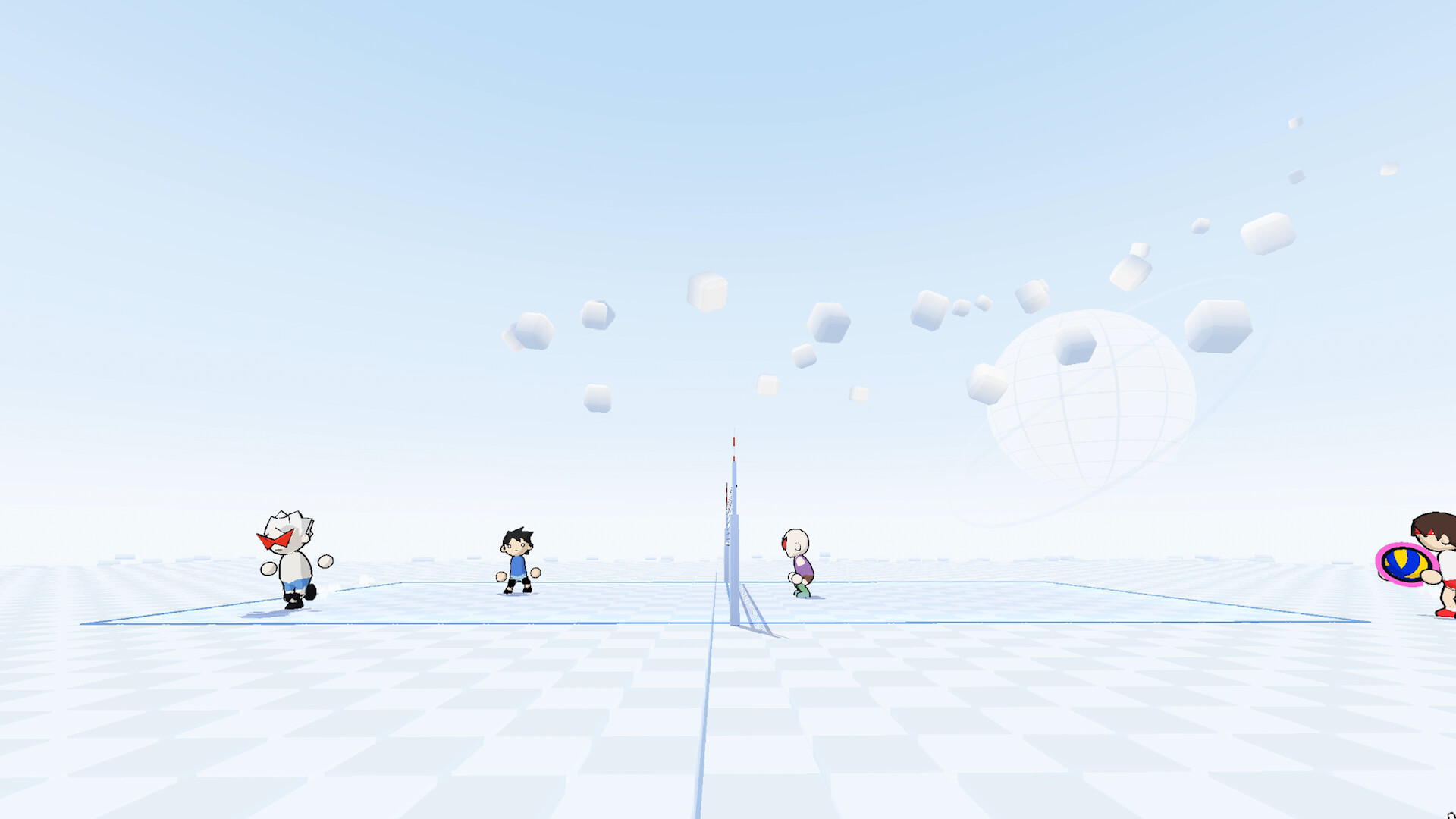
Just Volleyball shines when more people share the court. temkosoft’s Steam release supports online matches, offline bots, local split-screen, and Steam Remote Play Together, with team sizes from 1v1 through 6v6. This guide explains how to host and join with lobby codes, how to practice with bots, how to couch-coop, and which mode to pick for learning versus chaos. Brush up on Controls and Getting Started before your first public night so cursor aiming does not become the party’s bottleneck.
Modes at a glance
| Mode | Best for | Notes |
|---|---|---|
| 1v1 | Duel fundamentals | Consecutive touches allowed; you are passer, setter, and hitter |
| 2v2 | Default learning mode | Clearest receive-set-spike pattern with one partner |
| 3v3 | Role practice | Still readable; needs callouts on seams |
| 4v4–6v6 | Party chaos and rotations | Strict three-contact discipline; specialize roles |
Start with 2v2 when teaching friends. The court still has space, miscommunications are obvious, and you can rotate who serves, who takes first contact, and who finishes. Jump to 6v6 once everyone can aim a receive without watching their feet.
Rules that matter more as lobbies grow:
- Three contacts to return the ball
- No consecutive touches by the same player except in 1v1
- Blocks do not count as contacts
- Net contact OK; crossing courts is a fault
Full technique for finishing points lives in How to Spike; pressure starts with How to Serve.
Custom lobby codes
Private matches typically revolve around a custom lobby code you share in Discord, Steam chat, or voice. Flow in plain language:
- Host creates a custom lobby and selects mode size (1v1–6v6), bot fill options if available, and any house rules the menu exposes.
- Host copies or notes the lobby code.
- Friends join from the multiplayer browser or join-by-code field using that string.
- Host starts when slots are filled or bots are added.
Treat lobby codes like party invites: regenerate if a code leaks into a public channel you did not intend, and confirm everyone is on the same patch after an update. For LFG beyond your friends list, use the official Discord at discord.gg/kKT98kf2wV and state mode size, region expectations, and whether you want tryhard or casual rules.
Steam friends list invites remain useful when everyone already owns the game on the same platform. Codes matter most when you are coordinating across mixed friend groups or voice servers.
Playing with friends online
Agree on three things before the first whistle:
- Mode size — 2v2 for learning, larger for party energy
- Communication — voice callouts for “mine,” “set middle,” and “no dive” beat silence
- Practice goal — side-out reps, serve receive only, or free play
Friendly matches are the right place to drill float serves and BAM jumps without tanking a stranger’s evening. Rotate servers so one person does not burn out hosting. If latency feels uneven, have the player with the strongest connection host, and keep sprint-heavy playstyles in check—input delay plus empty stamina dives feels miserable.
Offline bots
Bots are the best coaches that never tilt. Use offline bot matches to:
- Warm up standing and jump serves for ten minutes
- Repeat receive-to-set paths until the cursor finds your partner automatically
- Practice dash-jump approaches without social pressure
- Learn 4v4 or 6v6 traffic before you inflict it on friends
Fill empty slots with bots in custom lobbies when you are short a human. Bot difficulty—if exposed in your build’s menu—should sit where you still need clean first contacts, not where every ball is a free ace. When bots feel solved, raise the challenge or move to human lobbies.
Split-screen local play
Split-screen covers couch sessions on one PC. Set up:
- Confirm both players have readable screen real estate; Dynamic camera zoomed slightly out helps.
- Bind profiles separately so player two is not stuck on player one’s rebinds—remember binds live under each profile’s settings.
- Prefer 1v1 or 2v2 on split-screen; 6v6 on a shared monitor becomes visual noise fast.
- Keep a short house rule list: no pausing mid-rally, serve rotation order, and who drinks the spilled soda.
Cursor aiming on one shared desk needs mouse space. If two mice are impractical, Remote Play Together with a second machine may feel better than fighting for mousepad territory.
Steam Remote Play Together
Remote Play Together lets a friend join your session with a streamed input device even when the match is hosted on your machine. Practical tips:
- Host should have stable upload bandwidth
- Agree on keyboard versus pad expectations before launch
- Host keeps the authoritative court view; guest accepts some stream delay
- Use it for 1v1 or 2v2 first; large modes magnify delay frustration
Remote Play is perfect when a friend does not own the game yet and wants a trial night, or when traveling laptops cannot run the title well. Once they are hooked, point them at Steam app 5037200 and bring them into native online lobbies.
Hosting etiquette and house rules
Good lobbies last longer than any single mechanic tip:
- State whether the night is ranked-serious or meme 6v6
- Ban intentional delay of game and toxic targeting if your group needs it
- Rotate who picks mode after each set
- Pause for patch notes if someone just updated mid-session—see Updates
- Share useful wiki links instead of arguing: Guides Hub, serve, spike, controls
If you use character presets or promo strings, keep Codes nearby so the lobby is not stuck on the title screen decoding a mistyped string. For comparing playstyles or creators, Players and the Tier List are optional rabbit holes after the matches end.
What to practice in a multiplayer night
Structure beats endless queue:
- Warm-up set (bots or private): serves only, then receive-pass only
- Main sets: chosen mode, full rules, voice on
- Skill focus set: only float serves, or only non-power spikes, to build habits
- Chaos closer: 6v6 if energy is high
Track one metric as a group—side-out percentage, service aces versus faults, or dive knockdowns—and improve that number across the evening. Stamina discipline travels with you: remind the lobby that empty-bar dives cost ~2 seconds on the floor and often the point.
Troubleshooting joins and parties
- Cannot join code: confirm patch version, region or lobby freshness, and that the host did not already start or close
- Friend missing from list: Steam overlay privacy, wrong account, or game not running
- Rubber-banding: host migration, wired connection preferred, close bandwidth hogs
- Rebinds “reset”: wrong profile selected—open the intended profile settings again
- Tutorial unfinished on a new account: finish tutorial beats so menus unlock cleanly
When all else fails, recreate the lobby, share a fresh code in Discord, and restart once. Do not spend half the night on connection theater when bots can keep hands warm.
Related reading
Before inviting a full 6v6, make sure everyone can survive Getting Started fundamentals, can find binds on Controls, and can complete a jump serve from How to Serve. Attackers should skim How to Spike. The Guides Hub links every tutorial; Tools and Updates cover helpers and patch tracking.
Just Volleyball multiplayer is at its best when lobby setup is boring and the rallies are not. Host clearly, pick the right mode size, fill with bots when needed, and keep stamina and cursor aim as the party’s shared language.
Frequently Asked Questions
Quick answers for the court.
Which mode should a new group play first?
2v2. It teaches receive-set-spike with one partner without the traffic of 6v6. Move up in size once aiming and callouts are stable.
How do custom lobby codes work?
The host creates a custom lobby and shares the code. Friends enter that code to join. Recreate the lobby if the code expires or the party desyncs after a patch.
Can I play with bots if friends are offline?
Yes. Use offline bot matches or fill empty lobby slots with bots to practice serves, receives, and larger modes solo.
What is Remote Play Together used for?
It streams the session so a friend can join from another machine with their input device—useful for trials, travel, or when split-screen mouse space is limited.
Where do players find groups beyond Steam friends?
The official Discord at discord.gg/kKT98kf2wV is the usual LFG hub. Post mode size, skill expectations, and region when you host.